Trading Journal
Import your Schwab, Webull or Robinhood history and every trade lands on a P&L calendar — with notes, setups and a review for each one.
This week
Mon 124 trades+$402
Tue 133 trades−$86
Wed 147 trades+$546
Import your broker's trades and see what's really working — by time of day, weekday, ticker and setup — with patterns in your own trading, a weekly recap, and every trade replayed on its chart.
P&L Calendar · Analytics · Setups · Patterns · Weekly Recap · Trade Review · Event Calendar
64 closed trades · sample data
Entry and exit marked on the chart.
Your journal, from one broker export.
Real screens from Tradedge. Pick one, or let it play.
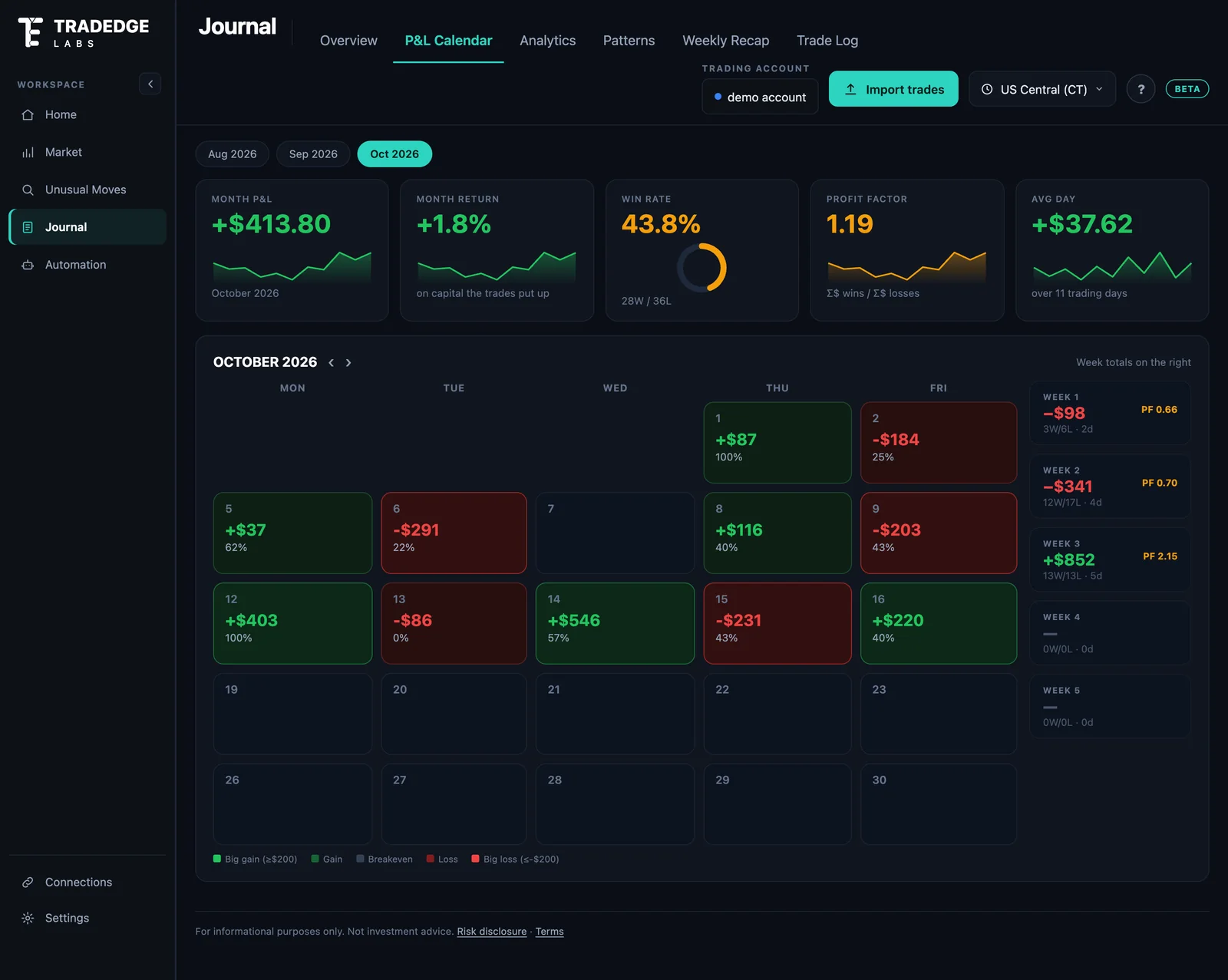
Import your broker's CSV and every day and week lands on a calendar — weekly totals on the right, and every day one click from its trades.
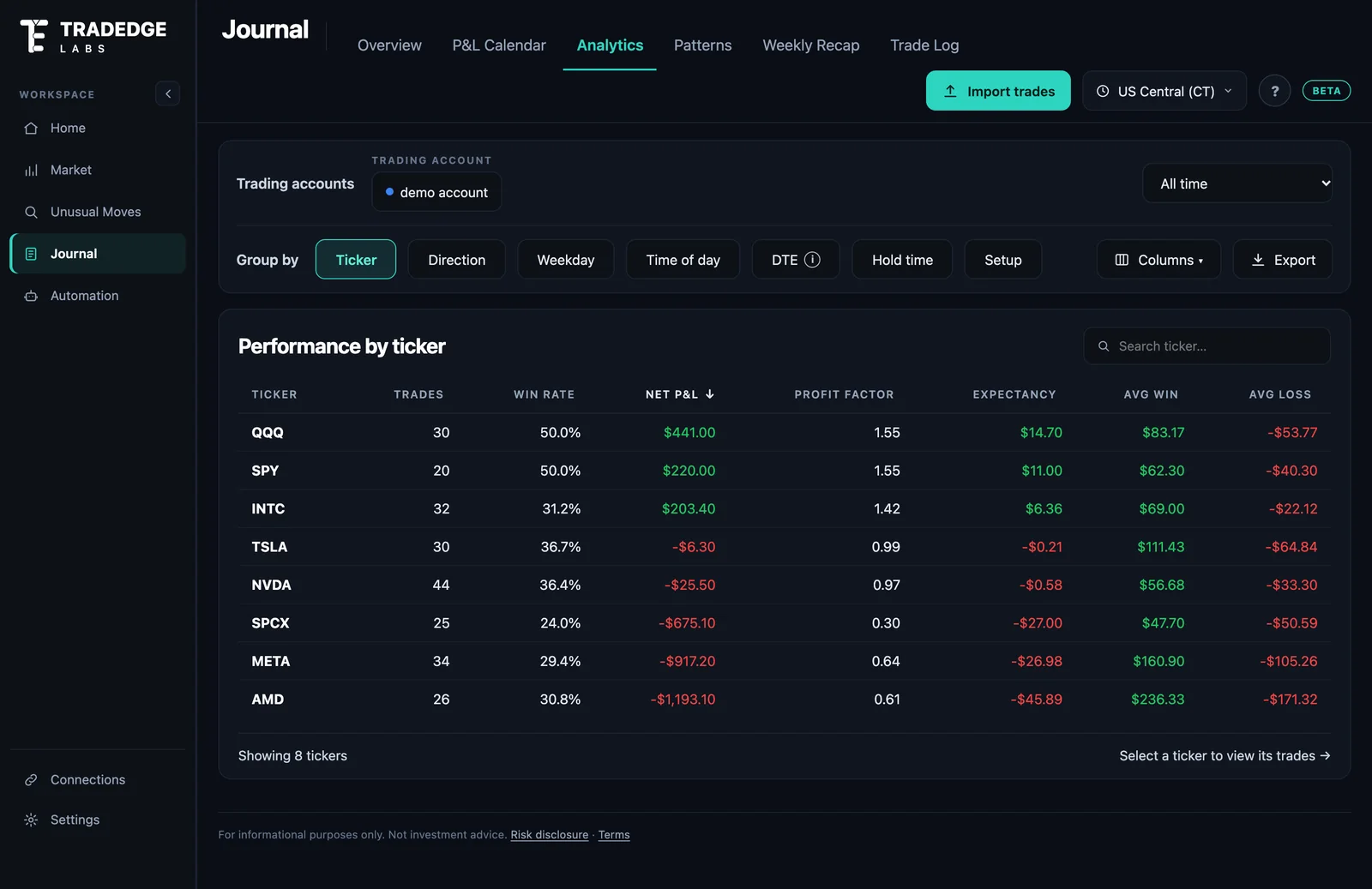
Break your own trades down by ticker, direction, weekday, time of day, DTE, hold time or your own setups — and see which habits are worth keeping.
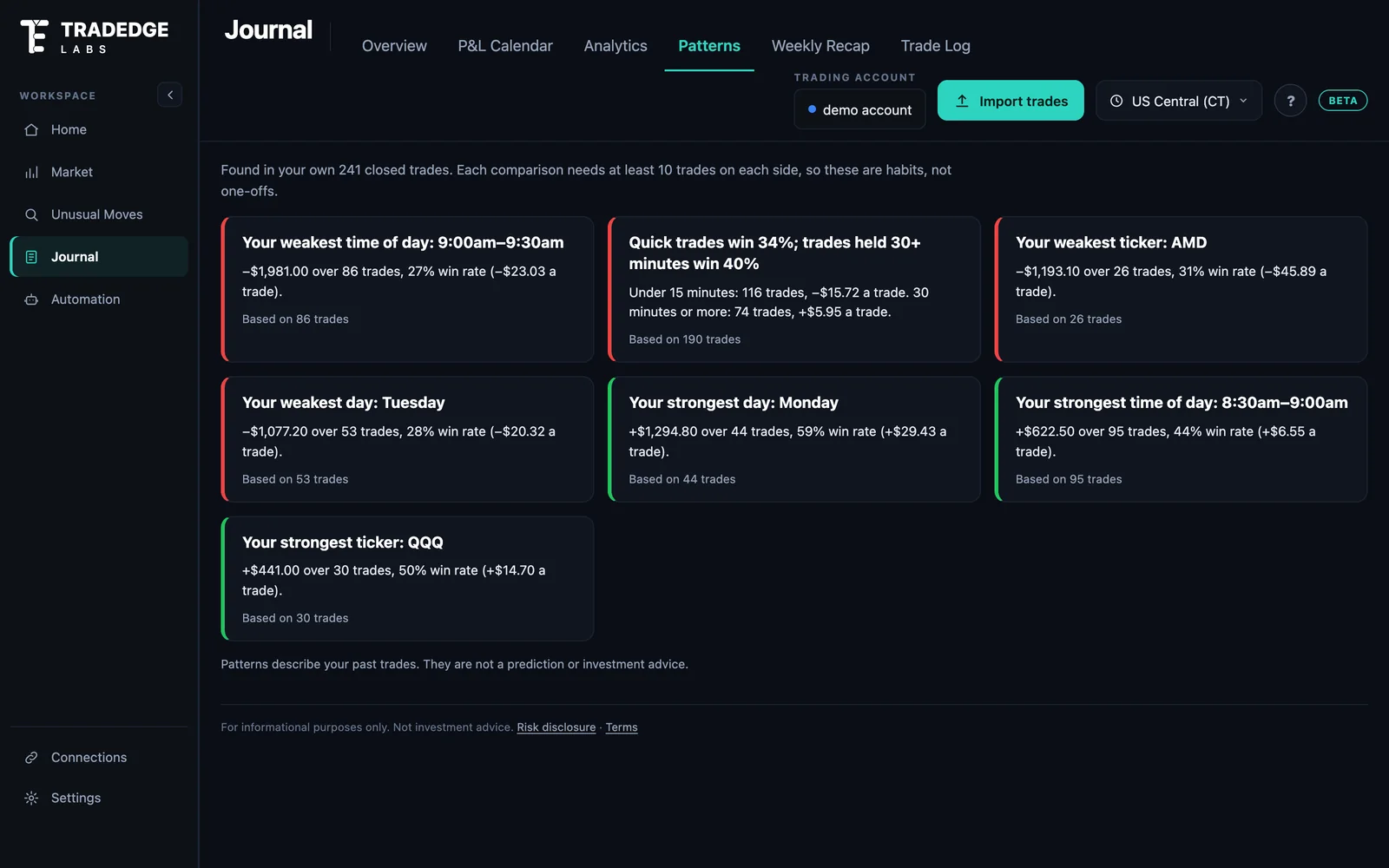
Plain-language findings from your own trades — your best and worst hours, days, tickers and setups, and the habits behind your losses. Habits, not one-offs.
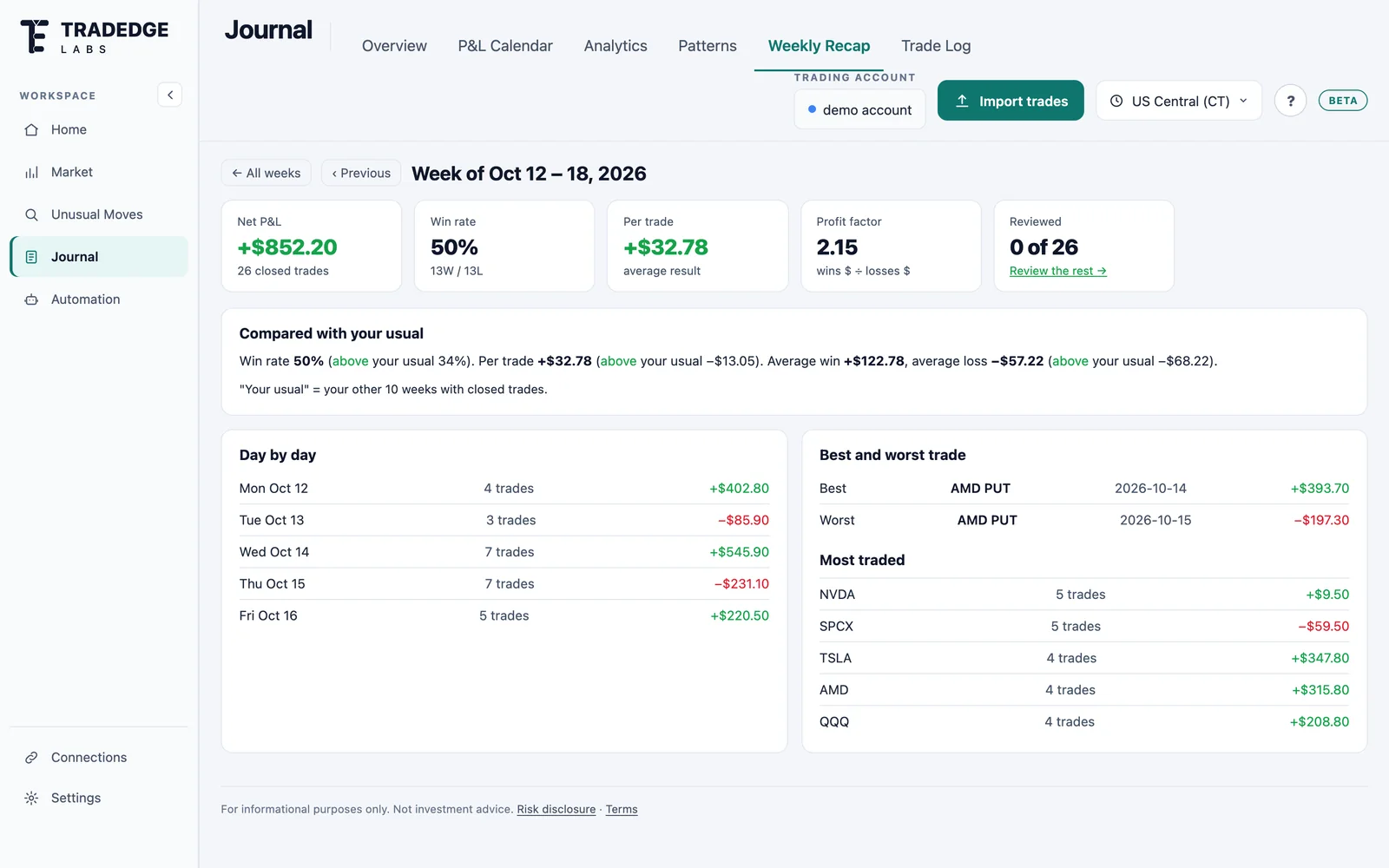
Each week's results day by day, its best and worst trades and most-traded tickers — and how the week compares with your usual.
Each trade on the underlying's chart with entry and exit marked, the contract, the hold time, your setup and notes.
Earnings, economic releases and market holidays by month, week or agenda, with impact levels — every time shown in your own time zone.
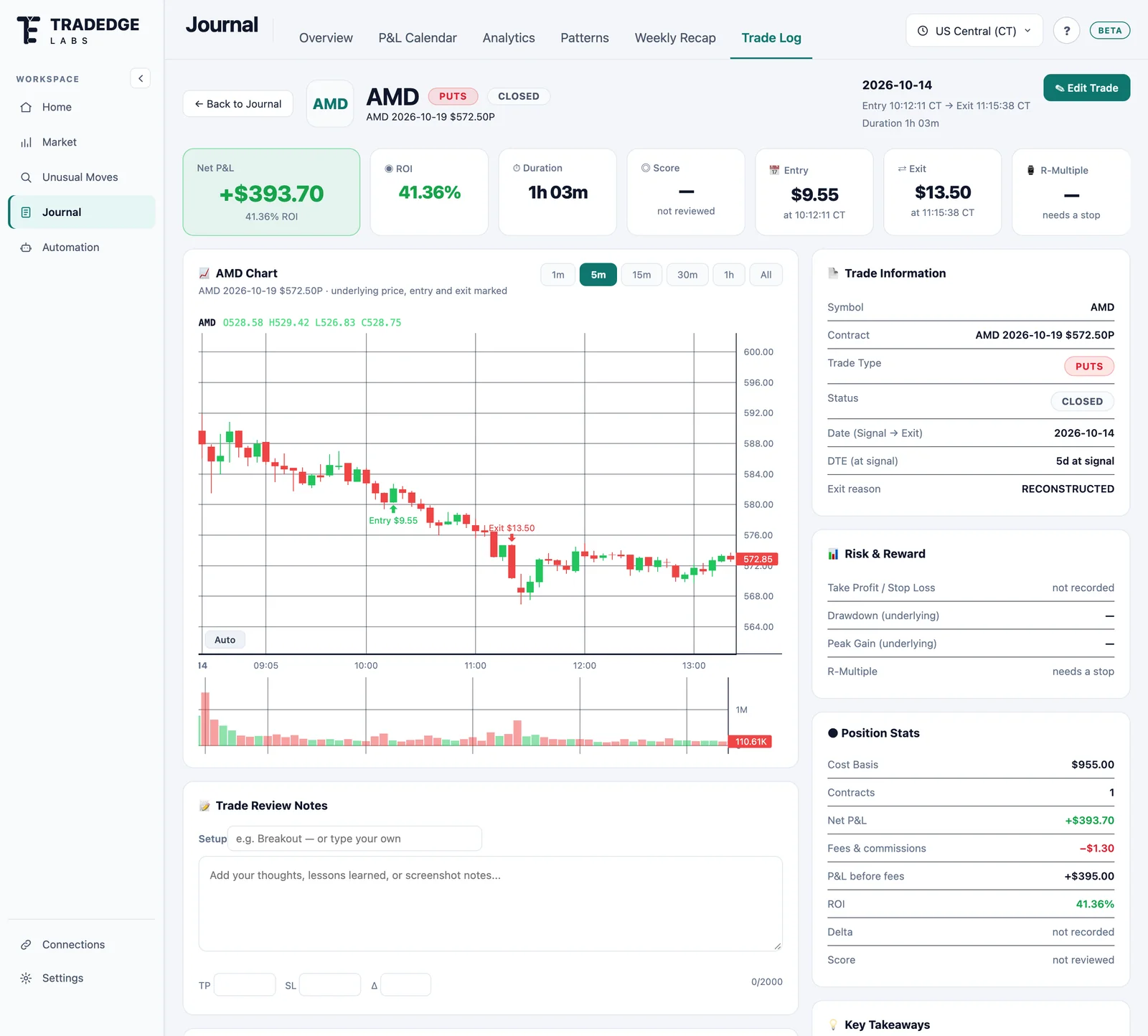
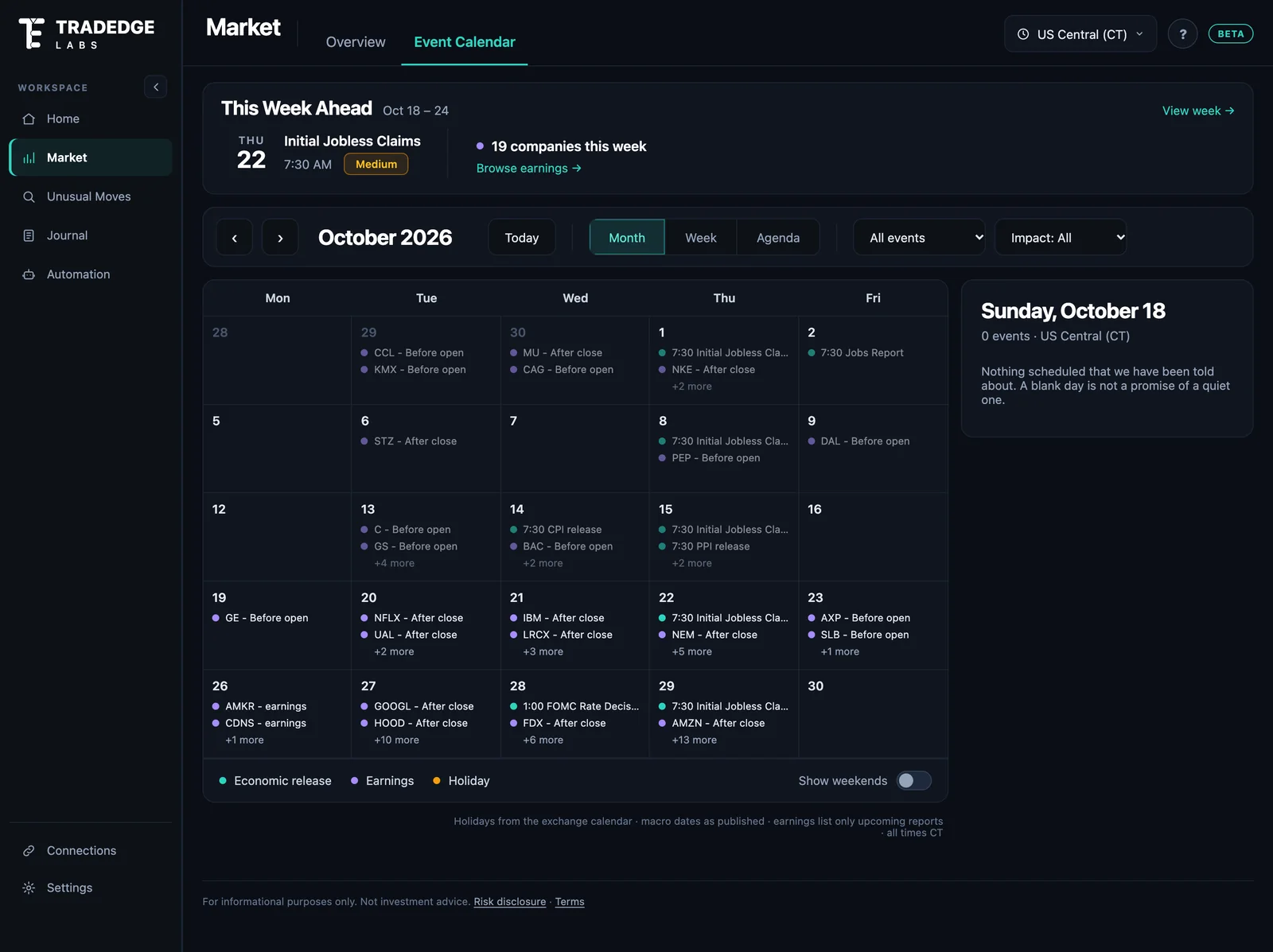
Screens from the Tradedge app, showing a demo account built from paper trades — illustrative only, not a record of results or a recommendation.
Import your Schwab, Webull or Robinhood history and every trade lands on a P&L calendar — with notes, setups and a review for each one.
See your results by time of day, weekday, ticker, hold time and your own setups — the questions a broker statement can't answer.
Plain-language patterns in your own trading, and a recap of every week compared with your usual.
Five steps, one workspace — no spreadsheets.
Your foundation for trade review.
or $249/year (save 28%)
Prices in US dollars. Plus renews automatically until you cancel — cancel any time from Billing, and you keep Plus to the end of the period you paid for. Market tools and automation come later in Pro.
For day traders, options traders, and traders managing multiple accounts.
Market tools for the trading day, built on the same workspace. Pro is not on sale yet — today's plans are the journal and its analytics.
Every alert is graded against what the market did next — including the moves that fell short. Historical price moves are not realized trading returns.
No. Tradedge is a trading journal and analytics platform. You keep trading at your own broker; Tradedge imports your history and helps you review it.
Trade history exports from Charles Schwab, Webull and Robinhood today, with more on the way.
Yes. Your journal, notes and setups are visible only to your account, and we never sell your data.
Free shows your last 30 days on one trading account. Plus keeps your full history across up to 10 accounts, with unlimited imports, advanced analytics, setups, patterns and the weekly recap.
Live market tools and position automation are part of Pro, which comes later. They are not included in Free or Plus today.
Free is free. Plus is $29/month or $249/year, renewing until you cancel — cancel any time from Billing.
Your trades, your patterns, your edge — in one place.
Already have an account? Sign in